
Read the relationship screen
The middle of the screen is your Relationship Standing. Neighbors, Friends and Crushes describe the relationship you share with the person on screen. The columns on the left and right are Expression Elements. A character can be teasing, praising or contesting and still be your friend or crush.
Set Tamarack’s standing, choose how you act toward her, then press Done. When Qiu’s screen opens, make a separate set of choices. Look at the name beside each column to tell who is acting toward whom. At the start of a later Step you can revisit the relationship.
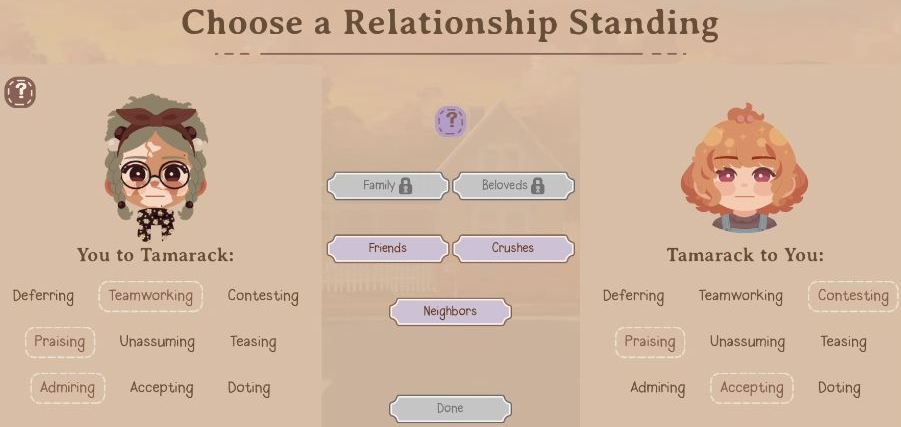
Can you have a crush on both?
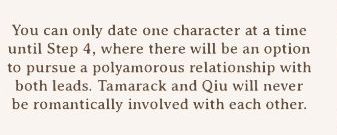
Yes. Choose Crushes on both screens if you want both childhood crushes. Friendship is also a full route. The planned option for a committed relationship with both leads comes in Step 4, beyond the two playable EA Steps. Qiu and Tamarack don’t become romantically involved with each other.
Step 2 jealousy
| Setting | What it expresses |
|---|---|
| Not Jealous | The default. You can keep the relationship free of jealousy. |
| Envious Of | You wish you had something the other person has, such as their family life or popularity. |
| Jealous Over | You feel protective of your time together and dislike someone else getting that attention. |
These options apply to friends or crushes. If you start as neighbours, the relevant story changes can become available if you grow closer during the Step. Exactly how many lines change in each Moment is unknown.